Know your pour.
Logging alcohol shouldn't feel like work.
Swig™ works out real standard drinks from what's actually in your glass: volume, ABV, your country's guidelines. Logging takes seconds. I'm opening it to a small circle first, and you're one of them.
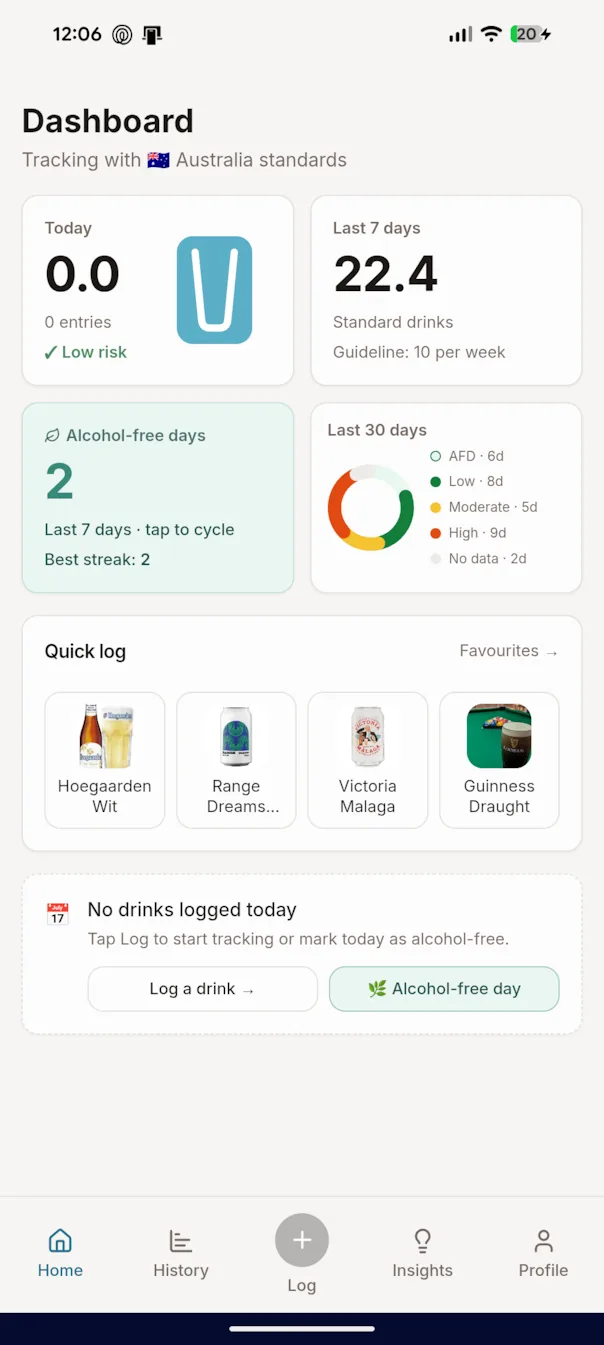
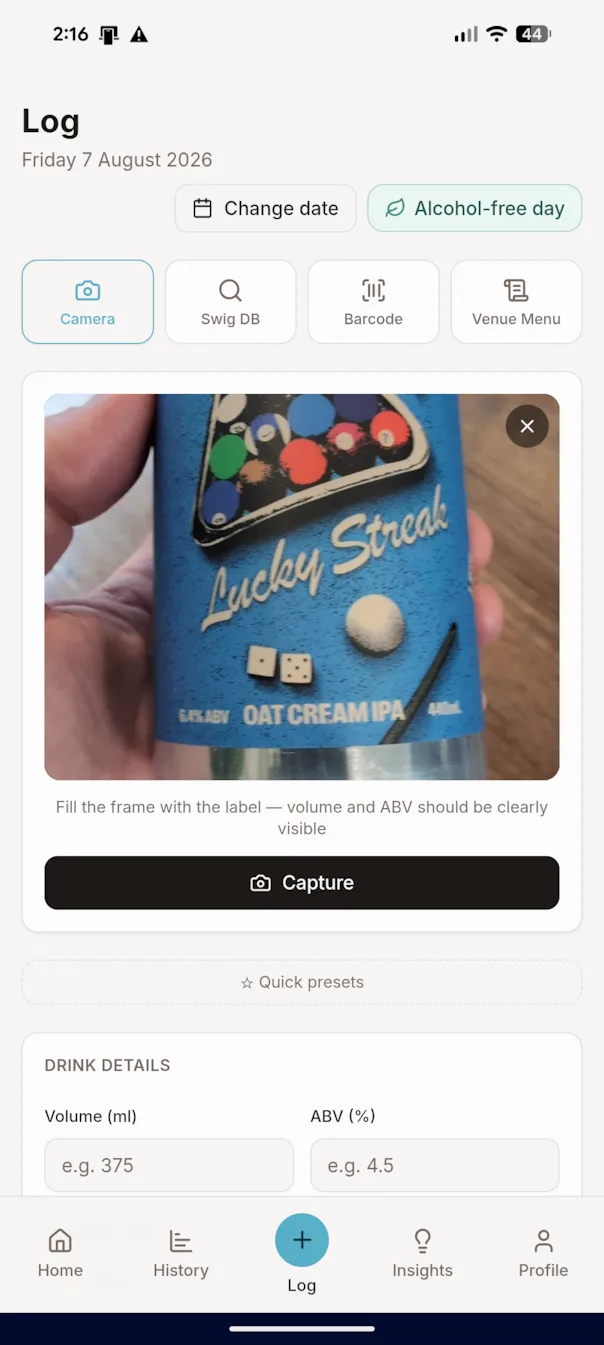
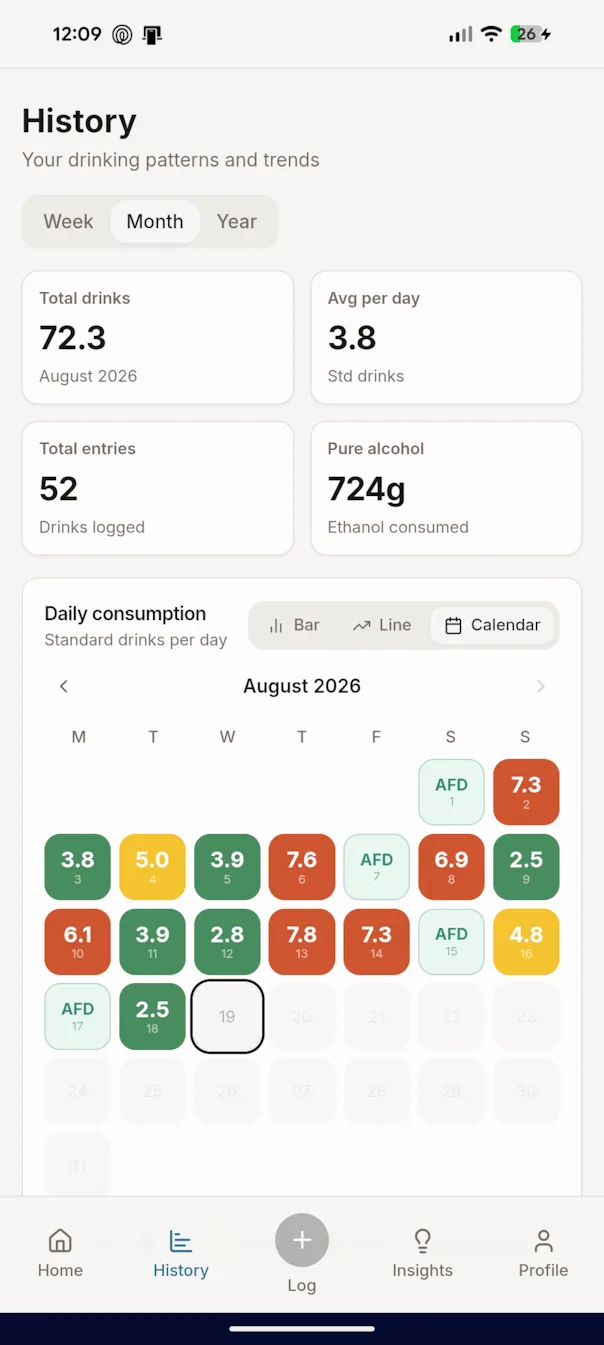
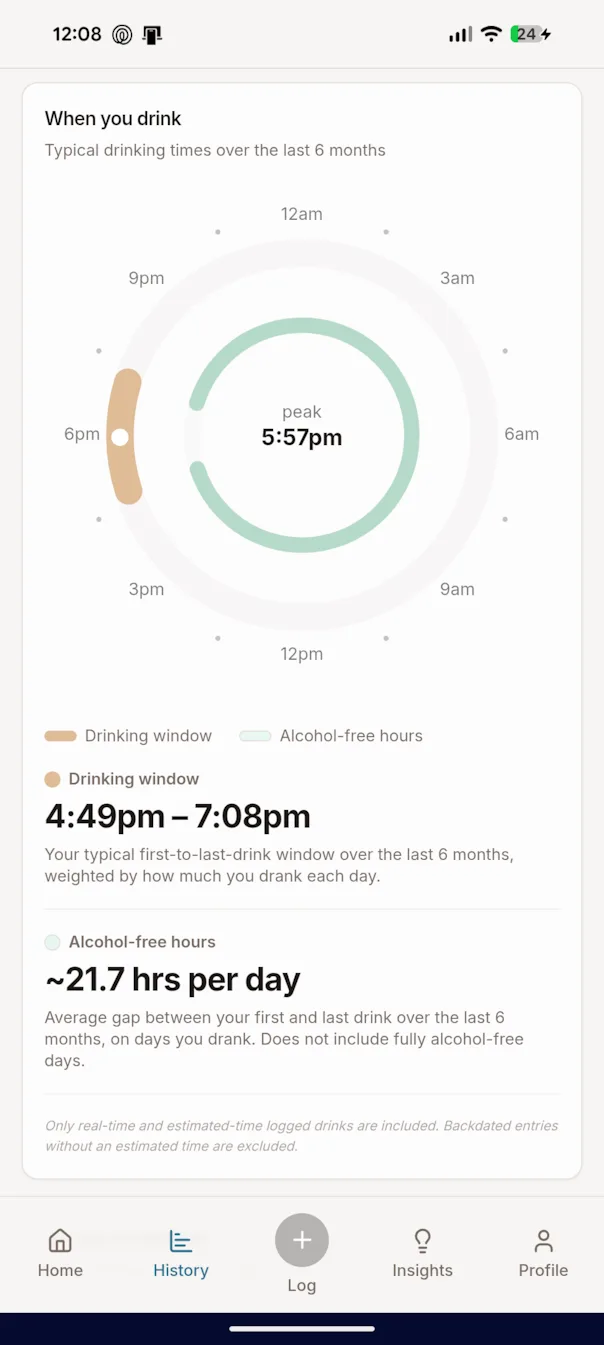
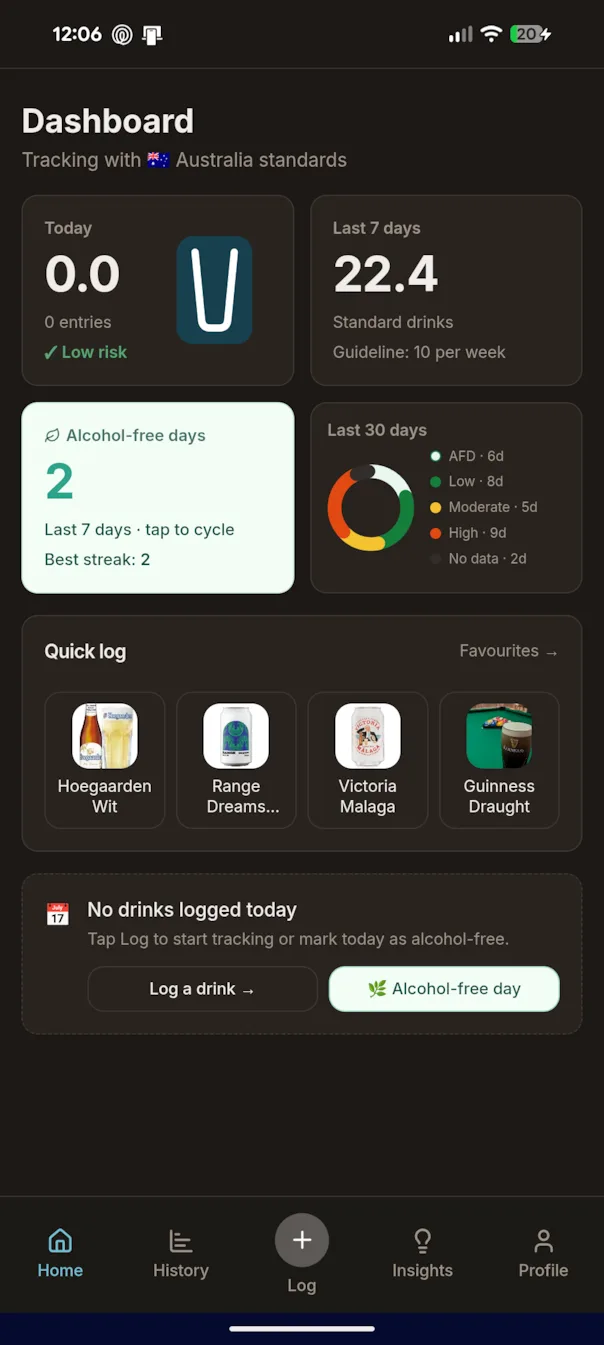
Log it once. Then actually understand it.
Most trackers either count drinks without working out the alcohol in them, or make you fill in every field yourself. Swig gives you five ways to log, and does the maths every time. Over weeks that builds a real picture: when your drinking usually starts and stops, how a big week compares to your own baseline, how many alcohol-free days you've actually had. No commentary, just your numbers.
Camera
Point it at the label. If the ABV and volume are printed there, Swig reads them and logs it.
Barcode
Scan the barcode and you're done.
Swig DB
Type a few letters, tap the match. Still growing, so if something's missing the camera has you covered.
Venue Menu
Photograph the tap list once. Then log every round in two taps.
Favourites
Your usual. One tap, nothing to think about.
Swig turns a photo of the tap list into a menu you can tap. Pick the drink, pick the size, done.
Honest numbers, kept to yourself.
Real standard drinks
A pint isn't one drink. Neither is a generous pour of wine. Swig works out true standard drinks from volume × ABV, against your own country's guidelines.
Awareness, not a lecture
No shame, no diagnosis, no blood-alcohol estimates. Swig shows you your own pattern and leaves the conclusions to you. Once you've logged enough, it'll also write you Insights: a short weekly read on what changed, how the week sat against your own baseline, which days did the work. Descriptive, not prescriptive.
Built to stay yours
Your history lives with your account and nowhere else. Nothing shared, nothing sold, nothing shown to anyone. Your drinks are stored against an anonymous profile ID, not your name.
Installs like a native app. No App Store needed.
Swig installs straight to your home screen. Same icon, same full-screen feel, no download. Start from app.swig.beer, not this page. App stores come at public launch.
Open in Safari
- 1 Open app.swig.beer in Safari
- 2 Tap the Share icon ⬆ in the toolbar
- 3 Scroll down and tap "Add to Home Screen"
- 4 Tap "Add" in the top right
Open in Chrome
- 1 Open app.swig.beer in Chrome
- 2 Tap the ⋮ menu, top right
- 3 Tap "Install app" (or "Add to Home screen")
- 4 Confirm, and Swig appears on your home screen
Chrome may also offer to install it on its own. If a prompt appears, just tap Install.
Take a Swig.
Join the small group testing Swig™ before anyone else gets it. It takes about a minute to set up.
Join the beta